qpi-config
qpi-config is a tool for configuring the Quectel Pi M1 and Quectel Pi L1 smart mainboards, supporting the following features:
Configure on-board LED operation mode;
Switch between weston and gnome desktops;
Query system module temperatures;
Query system CPU, memory, and storage status;
Configure Wi-Fi.
On-board LED Configuration
Execute the following command to configure the operation mode:
sudo qpi-config led mode <trigger> #trigger: none | heartbeat
Desktop Configuration
Execute the following commands to switch desktops:
sudo qpi-config switch gnome  # switch to gnome desktop
sudo qpi-config switch weston # switch to weston desktop
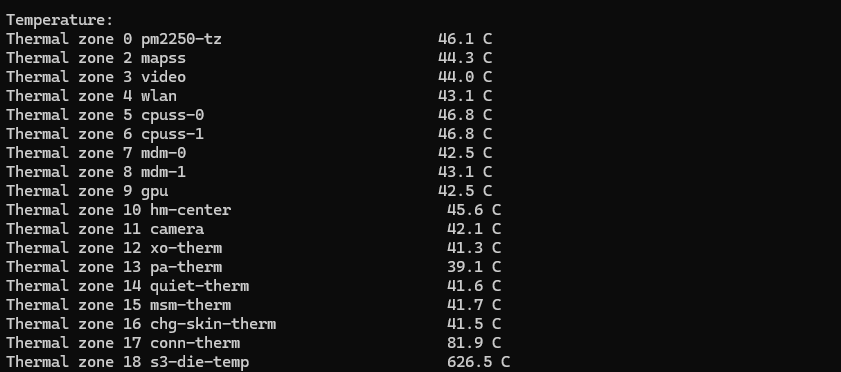
Query System Module Temperatures
Execute the following command to query module temperatures:
sudo qpi-config dump temperature
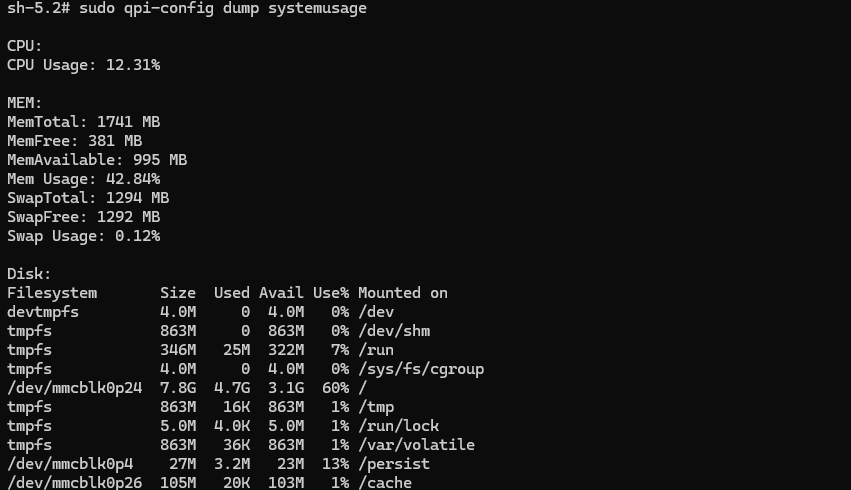
Query System CPU, Memory, and Storage Status
Execute the following command to query CPU, memory, and storage status:
sudo qpi-config dump systemusage
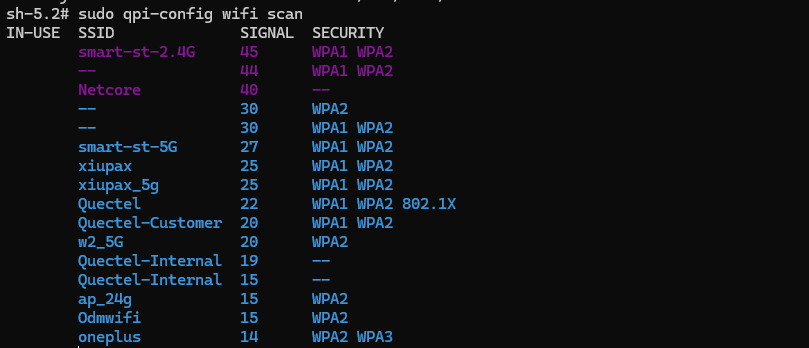
Configure Wi-Fi
Execute the following command to scan Wi-Fi:
sudo qpi-config wifi scan
Execute the following command to view existing Wi-Fi connections:
sudo qpi-config wifi show
Execute the following command to add a Wi-Fi connection:
sudo qpi-config wifi connect <ssid> <passwd>
Execute the following command to remove a Wi-Fi connection:
sudo qpi-config wifi remove <connection uuid>